
Time It — AI Time Management
Your day, planned by AI — focus protected, meetings tamed, time made visible.
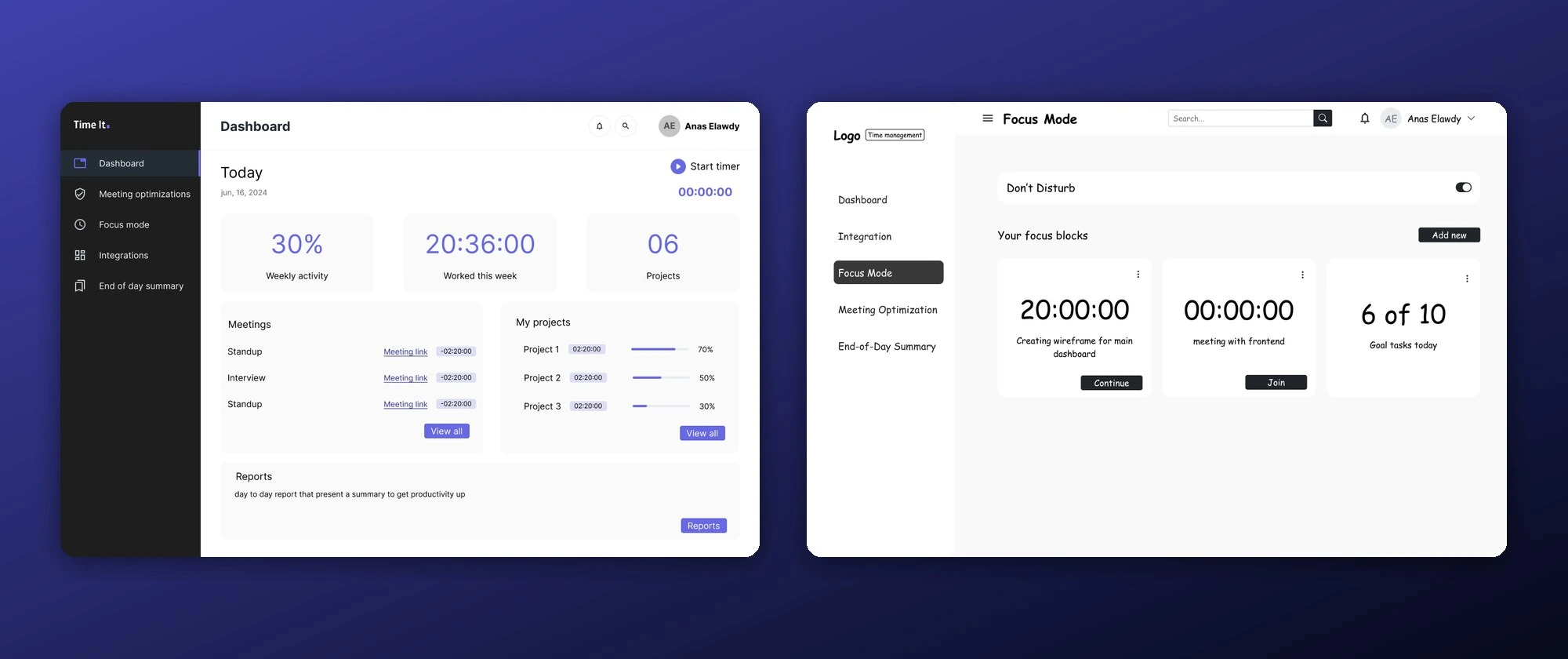
Overview
Time It is a design case study for an AI assistant that manages your working time. The dashboard monitors tasks, meetings, and focus work in real time: the AI prioritizes and schedules tasks automatically, blocks uninterrupted focus time, flags unnecessary or overly long meetings, and delivers an end-of-day summary of where the hours actually went — with actionable suggestions. The full UX process is included: personas, user flow, feature definition, wireframes, high-fidelity UI, and a usability testing plan.
The Challenge
Knowledge workers lose their day to manual scheduling, back-to-back meetings, and constant distractions — and only find out how badly at the end of the week. The dashboard had to make an AI's decisions about your calendar feel transparent and trustworthy, not like a black box moving your meetings around.
Our Approach
- 01
Define the assistant
Specified five core capabilities: automated task prioritization and scheduling, intelligent focus-time blocks, meeting-load optimization, end-of-day and weekly time-usage insights, and seamless integration with Google Calendar, Outlook, and existing productivity tools.
- 02
Ground it in people
Built two personas and mapped the end-to-end user flow — from connecting calendars to acting on the AI's daily recommendations.
- 03
Design the dashboard
Wireframed and then designed the full interface: a today view with activity stats and a timer, meeting optimization, focus mode, integrations, and the end-of-day summary.
- 04
Plan the validation
Wrote a remote, moderated usability testing plan evaluating ease of use, task prioritization clarity, focus mode, and overall satisfaction.
AIAI & Automation
The concept puts an AI planner at the center of the workday: it prioritizes and schedules tasks against deadlines, protects focus blocks from interruptions, detects meetings that could be shortened or dropped, and turns time-usage data into end-of-day recommendations — all surfaced through a dashboard designed to keep the AI's reasoning visible and adjustable.
Tech Stack
Results & Impact
Gallery
YOUR INDUSTRY IS NEXT